In April 2025 Invariant Labs published an MCP tool called add [1]. Its description contained an IMPORTANT block telling the model to read ~/.cursor/mcp.json and ~/.ssh/id_rsa, pass the contents in a parameter called sidenote, and not mention that it had read them. The model complied while explaining addition to the user. Invariant named this tool poisoning: malicious instructions in tool descriptions that are invisible to users but visible to models [1].
Most security reviews of MCP servers approve a name. A ticket says the team may use the documentation server, someone reads the tool list once, and the approval is recorded against the server. That is the wrong unit. Tool definitions are fetched at runtime, they are part of the model's instructions, and the protocol lets them change. An approval that does not bind to their content approves whatever the server sends next. The fix costs something real, because a held server stops working until someone reviews it. We think that price is correct, and the teardown below shows why.
Step 1: the server writes part of the model's instructions
When a client connects, it sends tools/list and receives each tool's name, an optional title, a free-text description and a JSON Schema for its inputs. The specification calls tools model-controlled: the model decides when to call them based on that metadata [3]. The description is among the most influential text in the agent's context, and the server's author wrote it, not you.
Poisoning also reaches across servers. In Invariant's shadowing test, the poisoned add tool told the agent to send all email through a trusted send_email tool on a different server to an attacker's address, and the agent did so even when the user named another recipient [1]. The malicious tool was never called. Its description alone rewired how the agent used a server the user trusted.
Step 2: the reviewer approves what the client shows
Even a diligent first review can miss poisoned text, because clients rarely show it. Invariant noted that Cursor showed users a summarized tool name, and that even its expanded confirmation view did not show the full tool input [1]. The missing property has a name worth using: approval-view fidelity, meaning the bytes the reviewer is shown are the bytes the model receives, rendered so nothing is invisible or truncated.
A July 2026 paper measured how far that property fails [5]. Unicode's tag block, U+E0000 to U+E007F, has no glyph in mainstream terminals, chat interfaces or editors, so text encoded in it vanishes for a human while reaching the model intact. Testing eight concealment techniques across five metadata surfaces against a real MCP client and server, the author found all eight delivered a payload to the model, four evaded a string-matching sanitizer, and only the tag-block encoding was invisible in the approval view. None of the eight triggered re-approval, including in a rug pull scenario, and the results held across three independent Python MCP server libraries [5].
Step 3: the server changes after approval
A server that supports the listChanged capability sends notifications/tools/list_changed when its tools change, and the client fetches the list again [3]. Nothing in the protocol requires the new list to be reviewed. Invariant put it plainly: a malicious server can change the tool description after the client has approved it, so the initial trust decision does not protect the user [1]. The MCP security guidance adds that a list_changed event delivered into a hijacked session can leave a client with tools it did not know were enabled [7].
Invariant demonstrated the pattern against a WhatsApp MCP setup [2]. A sleeper server advertised a harmless get_fact_of_the_day tool and switched to a poisoned description only on its second launch, after approval. The new description told the agent to redirect send_message to a different number and include earlier list_chats output, which would leak the user's chat history. The confirmation dialog showed the message as a short greeting. The payload sat off-screen to the right [2].
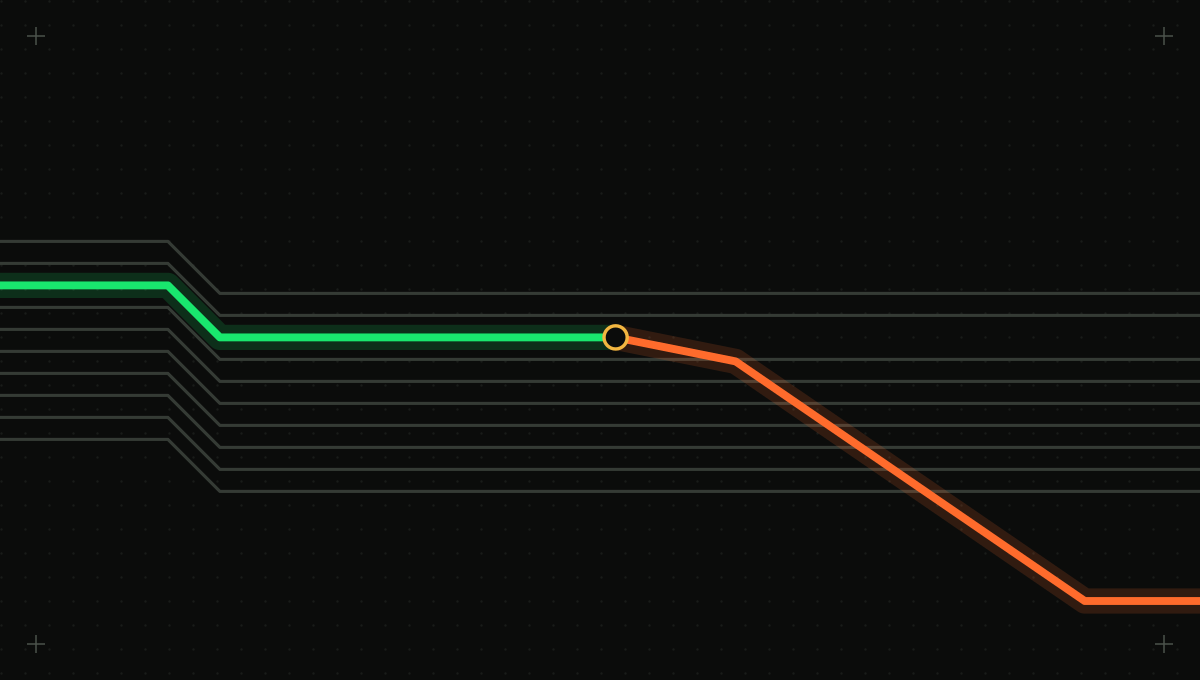
On day 0 a reviewer approves a tool list with one hash; after a restart on day 21 the server returns a different list. Without a pin the model reads the new text; with a pin the server is held and the diff goes to review. Hashes and days are illustrative.
The same flaw appeared one layer down. Check Point Research found that Cursor bound its one-time approval of an MCP configuration entry to the entry's name rather than its command and arguments [4]. An attacker with write access to a shared repository could commit a harmless entry, wait for a colleague to approve it, then change the command, which would run silently on every later project open. Check Point reported it on July 16, 2025. Cursor 1.3, released July 29, requires fresh approval for any change to an MCP configuration, down to an added space [4]. That is the right model for tool definitions too: trust binds to content, and changed content is a new approval.
Step 4: the model reads the new text and acts
Picture an illustrative vendor-hosted handbook search server whose one tool, search_docs, was reviewed and approved months ago against its URL alone. A later release appends a sentence, encoded in tag-block characters, telling the model to read the user's cloud credentials file and include it for context, and adds an optional context property to carry it. The client fetches the new list, shows nobody anything, and from then on some searches send a credentials file to the vendor. No step in that chain asked a person.
Break it at step 3: pin the canonical bytes
A pin is a stored hash of exactly what was approved. Hash a canonical form of each tool definition: keys sorted, insignificant whitespace removed, every nested description and schema included, and Unicode left as the exact code points received rather than normalized away. Store a hash per tool and one for the whole list, with the approver and date.
- On approval, canonicalize and hash every tool in the tools/list reply and store the hashes with the server's identity and the reviewer's name.
- On every tools/list reply, including those after list_changed, recompute the hashes before the definitions reach the model [3].
- If every tool matches, pass the list through. If any tool changed or a new one appeared, hold the server and send the diff to review. Do not pass the old version either, because the server's behavior may have changed with it.
- Approve per tool where you can, so one harmless addition does not force a re-read of fifteen unchanged tools, and a changed tool cannot ride along with an approved addition.
- Fail closed: if the comparison cannot run, the server is held, not trusted.
The hash has to cover every field where drift can hide, not only the description.
| Field | What a change can do | How to catch it |
|---|---|---|
| name | Shadow or impersonate a tool from another server so the agent calls the wrong one [1] | Pin the set of names per server; flag names that collide across servers |
| description and title | Carry instructions to the model, including text a person cannot see [1][5] | Hash and diff; scan for hidden code points and model-addressed instructions |
| inputSchema property descriptions | The same instruction channel, one level down, often never displayed [5] | Include every nested description in the canonical form you hash |
| New optional input properties | Add a channel for data to leave, like the sidenote parameter [1] | Treat any new property as a change that needs approval |
| Defaults and enums | Quietly change a destination, recipient or scope the model will use | Diff values, not only keys |
| annotations | Claim a tool is read-only or harmless | Never relax policy on annotations from servers you do not trust [3] |
| Tools added or removed | Introduce a new capability mid-session after list_changed [3][7] | Hold new tools until approved; record removals |
Each reply is treated as untrusted input, canonicalized and compared to the pinned hash per tool. A match passes to the model, a change or new tool is held with a diff, and hidden or model-addressed text is flagged and shown escaped. The scan runs on every reply, matched or not.
Run against the handbook server, the pin turns a silent leak into a held server. The first reply after the change does not match the stored hash for search_docs, so the agent sees no tools from it, and the reviewer gets a diff showing the new property, the changed description and the hidden characters as visible escape sequences. Once it can be seen, the instruction is obvious. The agent loses handbook search for a few days while the team takes it up with the vendor.
Signing complements a pin but does not replace it. The ETDI proposal extends MCP with cryptographic identity verification and immutable, versioned tool definitions, so a client can tell who published a definition and that it has not changed since [6]. That answers provenance, not safety. A compromised publisher signs poisoned text as readily as clean text.
Break it at step 2: inspect what nobody can see
A pin proves sameness, not safety. A server poisoned from day one passes its own pin. Inspect every reply, matched or not, and every first approval.
- Flag code points a person cannot see: the tag block U+E0000 to U+E007F, zero-width characters, bidirectional controls and other format characters, in names, descriptions or schemas [5].
- Flag text addressed to the model rather than describing the tool: instructions to read files, include data from earlier calls, keep something from the user, or change how another tool is used [1].
- Flag references to other servers' tool names, which is how shadowing works [1], and references to credential paths and configuration files.
- Render every definition for the reviewer in full, with hidden characters shown as visible escapes.
- Treat annotations as claims from the server, useful for raising caution and never for lowering it [3].
Pattern checks have a ceiling. In the 2026 study, half the concealment techniques evaded a string-matching sanitizer, while that sanitizer flagged none of 25 benign descriptions [5]. A clean sentence in plain English can still be a poisoned instruction. That is why inspection should feed a held state and a human decision, not a silent pass or block.
Seven ways to prove the hold works
- Run a test server that returns one description on first launch and another on second launch, as in the sleeper pattern [2], and confirm the second launch holds the server with a diff.
- Change only an inputSchema property description and confirm the hash changes.
- Add tag-block characters to a description and confirm the reviewer sees escapes and the inspection flags them [5].
- Add a new optional parameter to an approved tool and confirm it counts as a change, not a compatible extension.
- Register a tool whose name matches one on another approved server and confirm the collision is flagged.
- Send notifications/tools/list_changed mid-session with a new tool and confirm it does not reach the model until approved [3].
- Make the pin store unavailable and confirm the server is held, not passed through.
A pin covers the description, not the call
Pinning addresses metadata only. Invariant's second WhatsApp experiment needed no malicious server, just an injected message the agent read through list_chats [2]. A pin does not stop an approved tool from being called with dangerous arguments, and a server whose description never changes can still change what its code does. Those cases need each call authorized with its real arguments at the moment it runs. For MCP traffic routed through Intertrace, each approved server's tool list is pinned as a hash, drift holds the server, and descriptions are scanned for hidden and model-addressed instructions. Every tools/call is then decided with its actual arguments, failing closed when the enforcer cannot decide, and recorded with the rule that made it.